

Choosing photos for your photographer
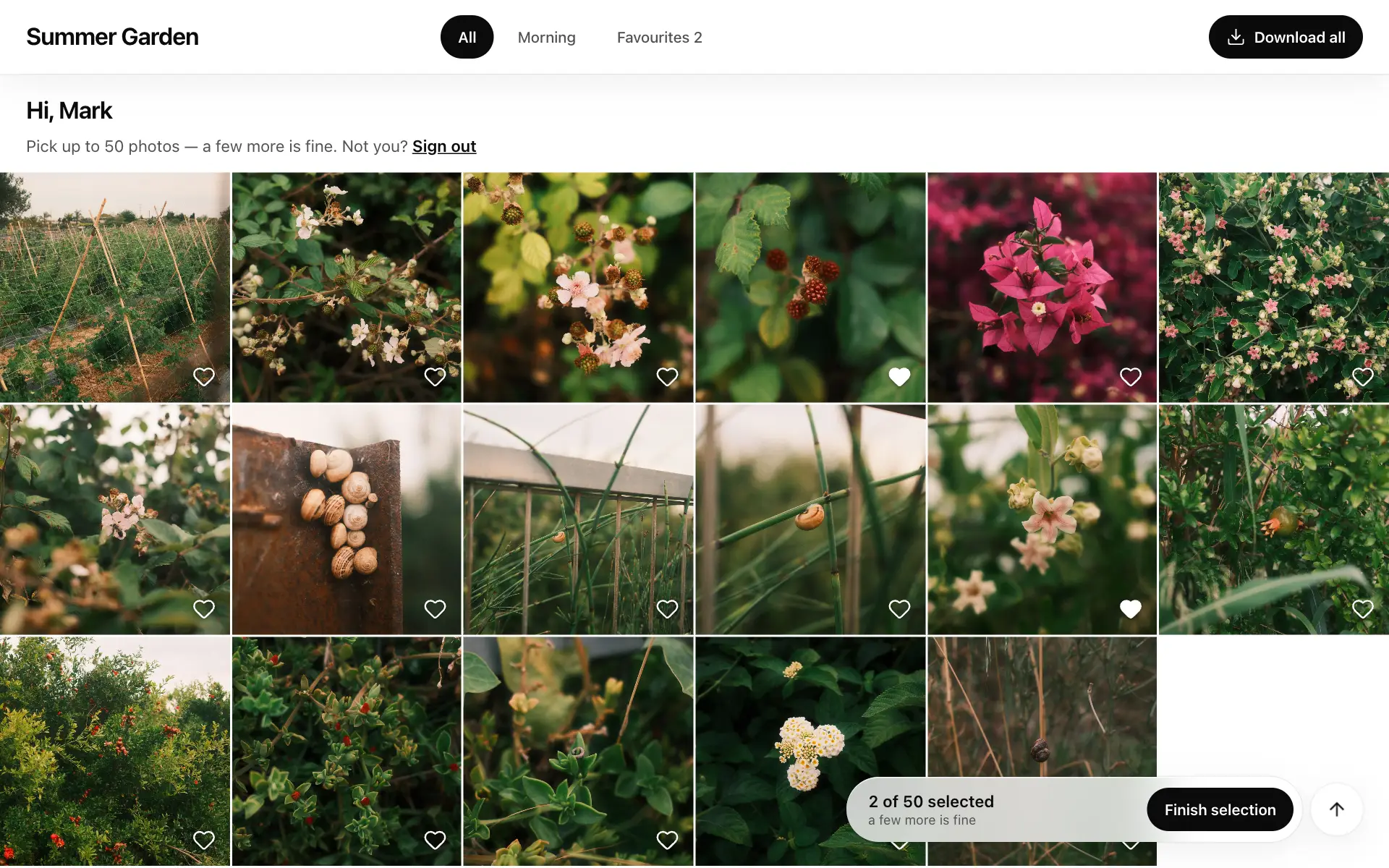
In short: tap the heart on the photos you like, then tap Finish selection. Your photographer gets the list right away.
You can pick photos only if your photographer has given you a personal password or a code that allows it. Then the gallery greets you by name, like Hi, Anna. No password? See Opening your gallery and entering the password.
Pick the photos
Section titled “Pick the photos”- Tap the heart in the corner of a photo. Tap it again to remove it. In full screen there’s a heart too.
- Your choice is saved with every tap — you can close the page and come back later, even on another device, with the same password.
- Open the Favourites tab to see everything you’ve picked.
How many to pick
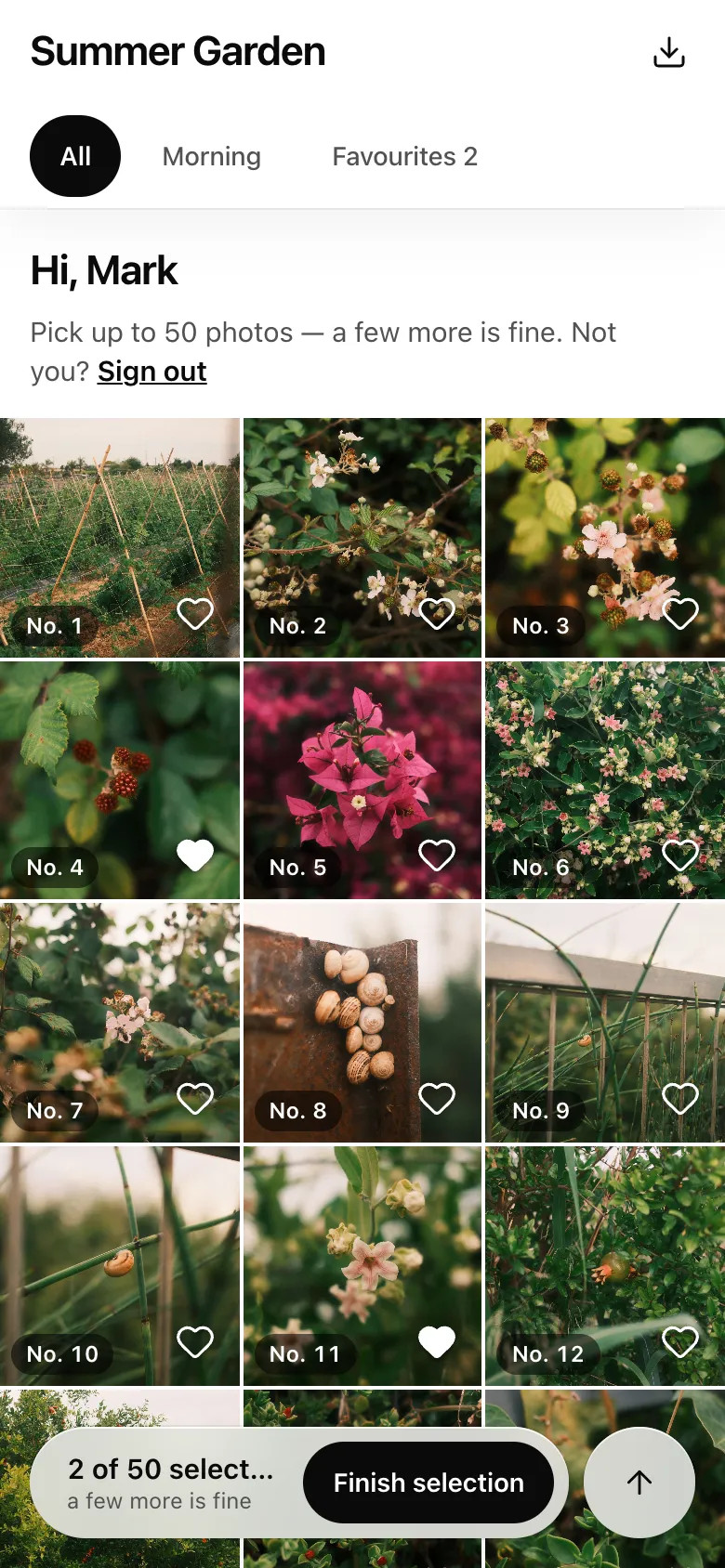
Section titled “How many to pick”If your photographer set a number, you’ll see Pick up to N photos — a few more is fine. The counter at the bottom shows how many you’ve picked, for example 48 of 50 selected. Going over is allowed: the counter just says how many are over the package, and your photographer decides what to do with them.
Send the selection
Section titled “Send the selection”- Tap Finish selection at the bottom.
- Check the number and tap Finish and send. Not sure yet? Tap Keep looking.
After that you’ll see Sent to the photographer on…, and the hearts can no longer be changed. To change anything, message your photographer — they can reopen the selection.
Good to know
Section titled “Good to know”- Photos for selection are reduced, downloads are off — your photographer shows smaller copies for picking. You’ll get the finished photos from them later.
- Want to name specific photos? Use their numbers, like No. 12.
- Someone else’s name at the top? Tap Sign out next to “Not you?” and enter your own password.
If it didn’t work
Section titled “If it didn’t work”- The heart didn’t stay. Check your internet connection and tap again.
- “Your selection has already been sent to the photographer.” It’s finished; ask your photographer to reopen it.
- “Selection is off for this password.” Ask your photographer for a password that allows picking.