

Portfolio basics: categories, address, password
In short: the portfolio is your best work at one address, a name you pick plus .picsme.app. It is kept with no expiry and
is set up like a gallery: groups on the left, a live preview on the right.
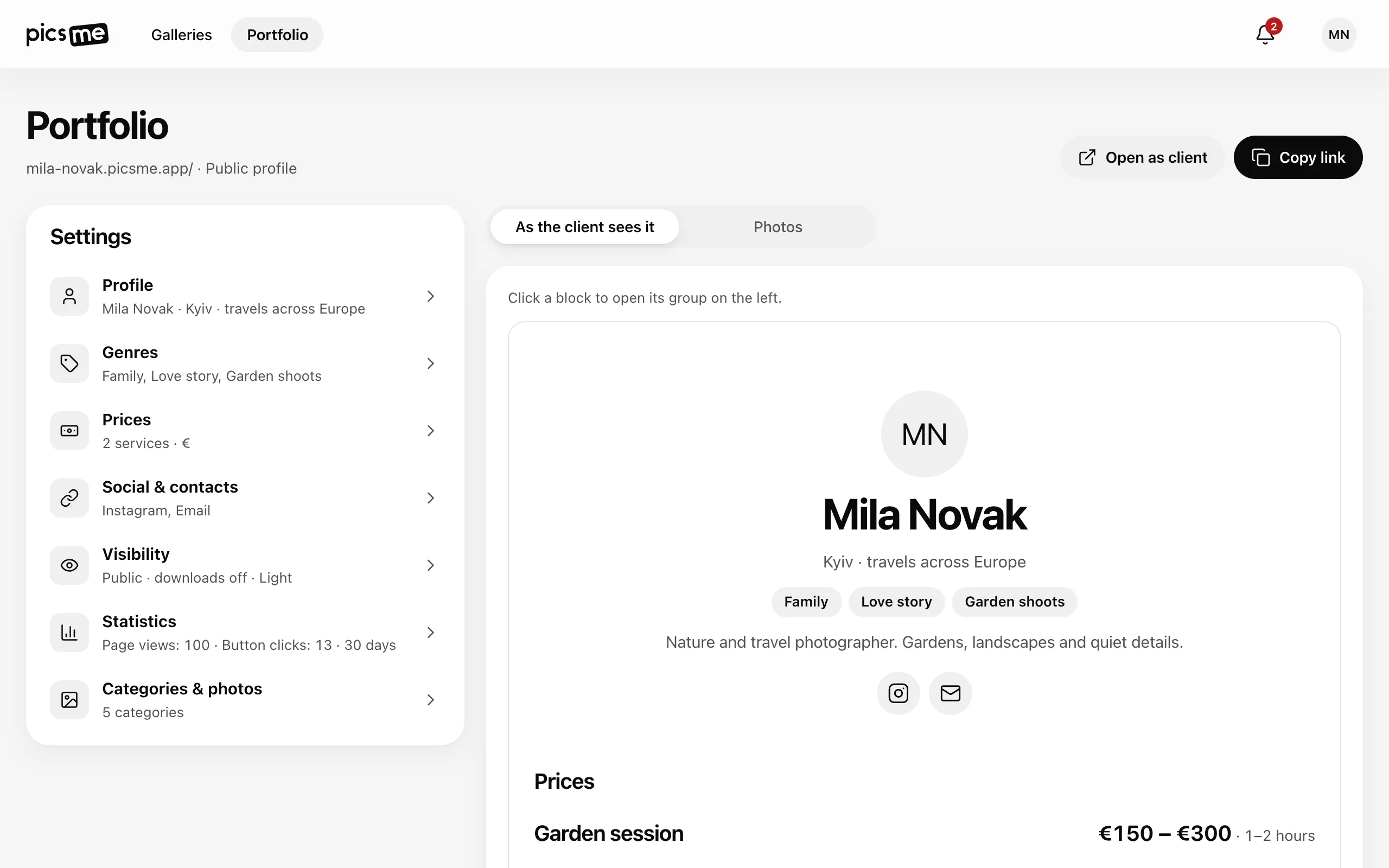
Set it up
Section titled “Set it up”- Open Portfolio in the top menu.
- Profile — your name, city and a few words about you. See Portfolio profile.
- Visibility — check the Address (it is made from your name; Latin letters, digits and hyphens). Nobody sees the portfolio until you turn on Publish portfolio.
- Categories & photos — upload photos on the right and sort them into categories in the row above the grid, as in a gallery (Add category). Names, order and Delete category are in the Categories & photos group.
- Fill in Genres, Prices and Social & contacts if you like.
- Check the result in the preview, As the client sees it, or open it with Open as client.
Clicking a block in the preview opens its group on the left.
Categories
Section titled “Categories”- A category works like a section in a gallery: clients switch between them at the top.
- Delete category — the photos stay in the portfolio, just without a category.
Address and password
Section titled “Address and password”- Changing the Address frees the old one at once — for the portfolio and all your gallery links: send the new links to whoever had them. See Gallery address.
- A portfolio can be public or open only with a password: see Publishing, public vs private.